
Procorem Inspect
Inspections, redefined.
Mobile-first inspections for housing, real estate, and property teams. Capture findings in the field and route them into the workflows that act on them.
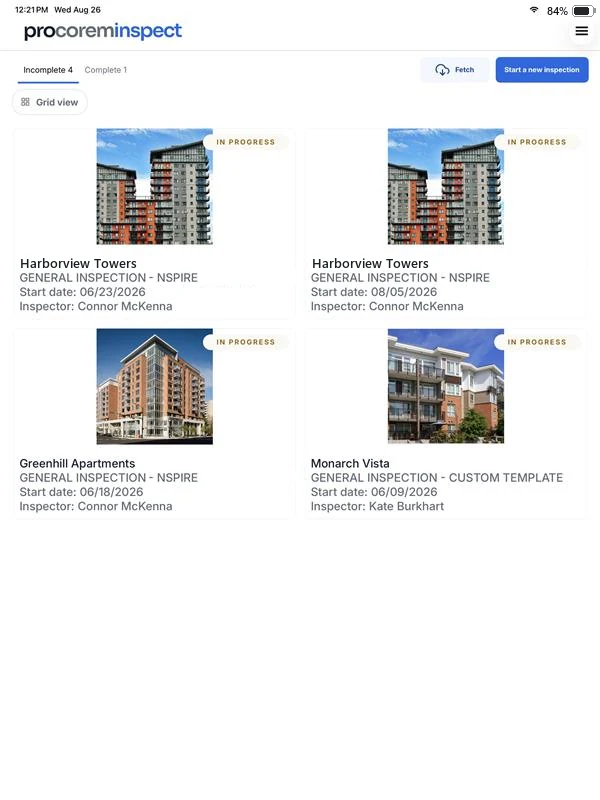
Procorem Inspect replaces clipboards, PDFs, and disconnected forms with a native mobile app for iOS and Android. Field staff capture photos, notes, and standardized findings on their device. Office staff get structured data they can act on the same day.
Inspect plugs into the rest of your Procorem workspace and integrates with ProLinkHFA, so portfolio property data syncs directly to inspectors’ devices and finished inspections land where the office already works.
Works offline
Set up the inspection ahead of time, capture findings without signal, and sync when you are back online.
Photo evidence
Take photos in the app and attach them directly to findings, with notes and locations.
NSPIRE & custom templates
HUD NSPIRE-aligned inspection templates, plus custom templates built for the way your team inspects.
Findings to reports
Preview findings live and generate finalized PDF reports the office can act on.
The Inspect mobile app
Native on iOS and Android.
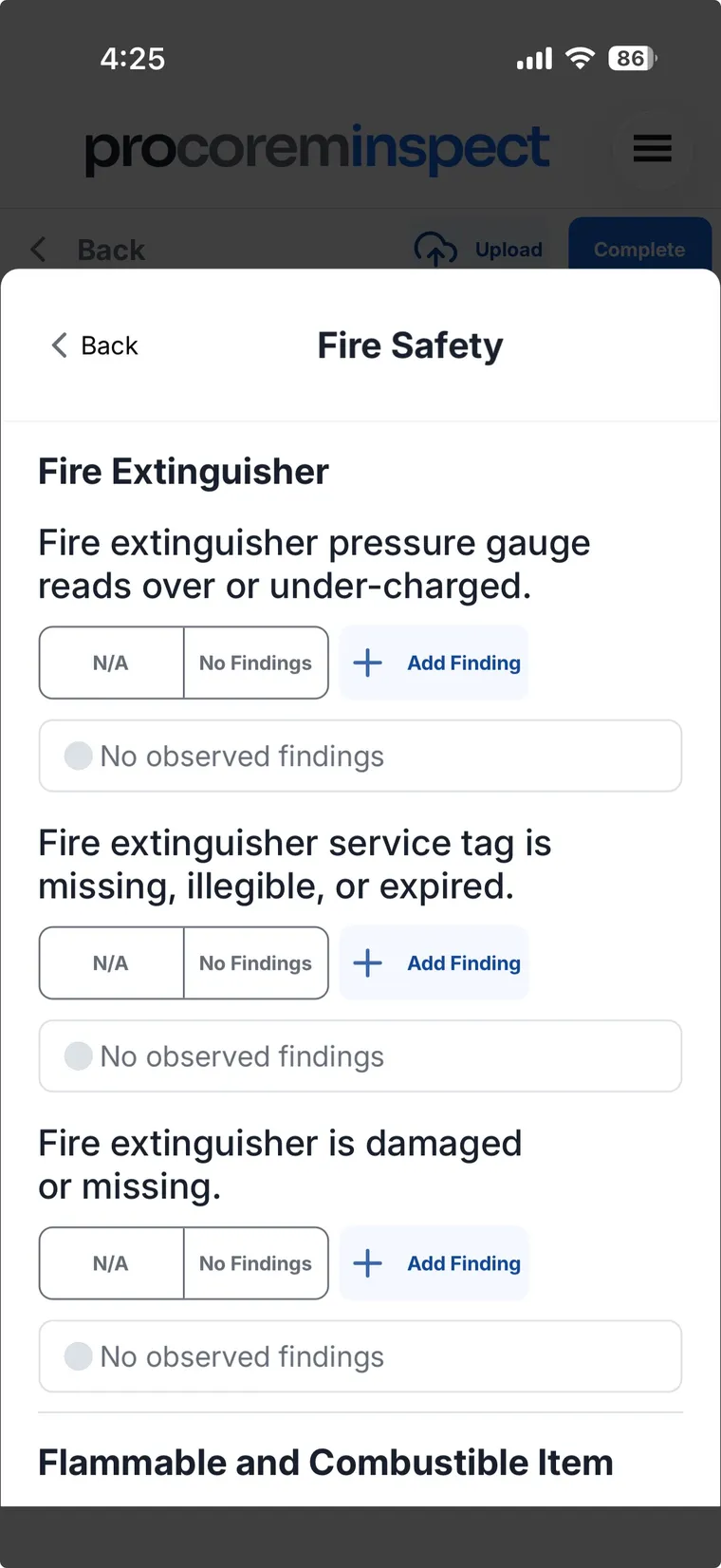
Inspections happen in the field, so Inspect ships as a native mobile app for iPhone, iPad, and Android phones and tablets. Inspectors run the entire inspection on their device: walking areas, logging findings, and capturing photo evidence, then upload to the web when they are done.
- Run complete inspections on-device, no laptop required
- Capture photos and notes at the point of the finding
- Works fully offline, syncs when you are back in signal
- Uploads land in the web app for the office the same day
How it works
From property to report.
Inspect follows the way an inspection actually unfolds: portfolio, areas, findings, corrections, and the reports that close the loop.
Step 1
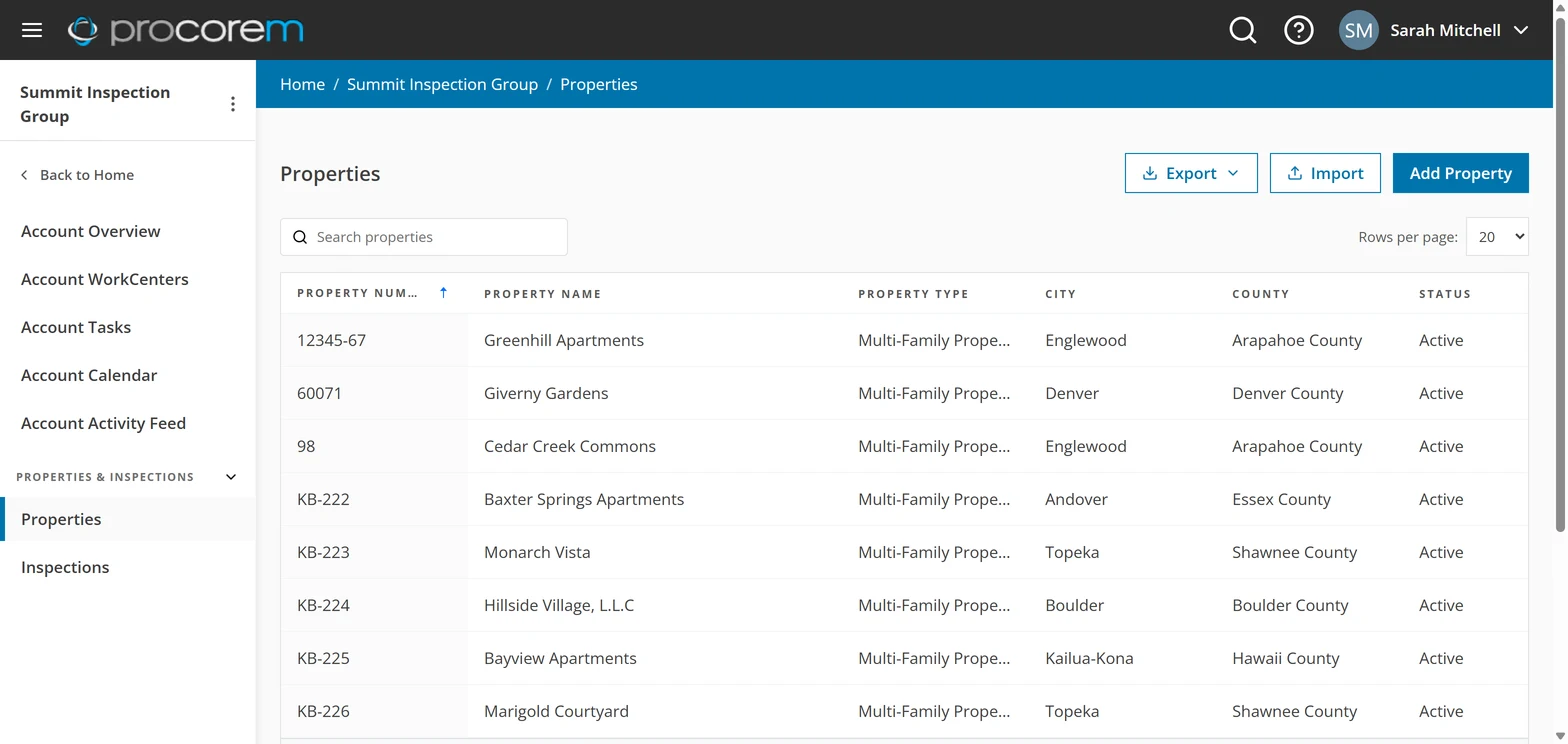
Set up your portfolio
Every property in one list: searchable, importable, and exportable. Buildings and units live underneath, so inspections always start from current portfolio data.
Step 2
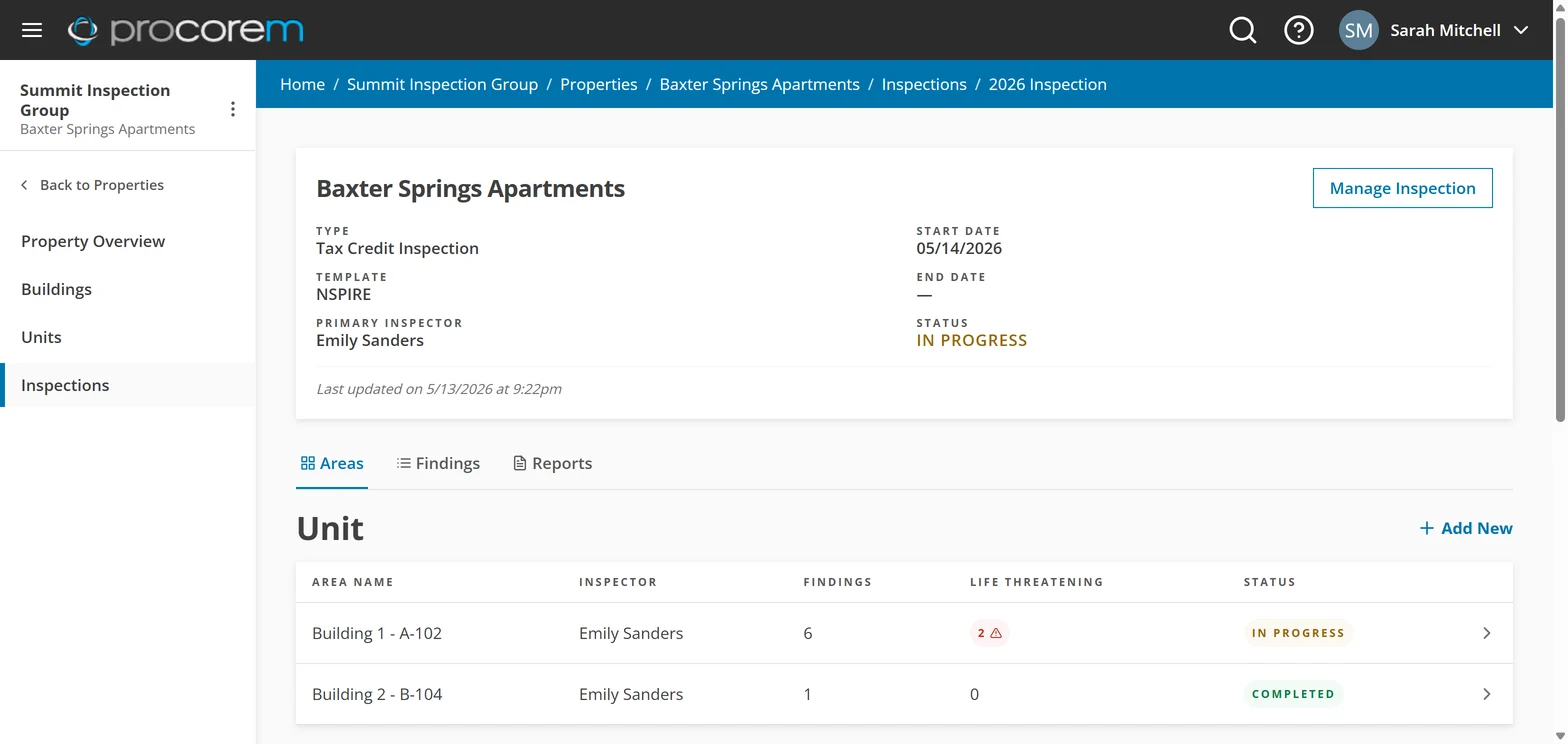
Run inspections area by area
Each inspection is organized into NSPIRE inspectable areas (units, inside, outside) with finding counts, life-threatening flags, and per-area status at a glance.
Step 3
Classify findings the NSPIRE way
Findings are captured against NSPIRE standards and classified as life threatening, severe, or moderate, with correction status tracked on every one.
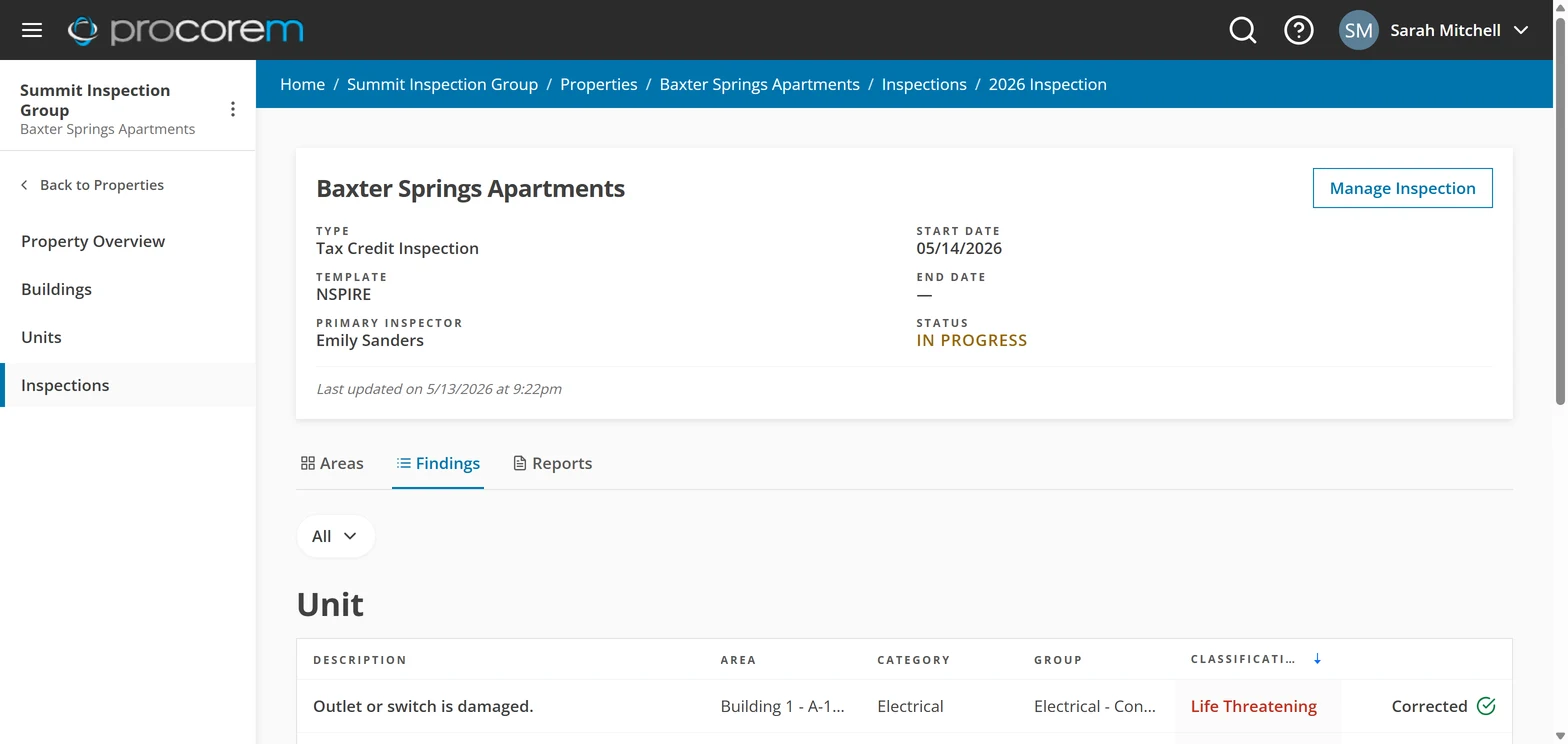
Step 4
Document corrections with photos
Every finding carries its photo evidence, notes, correction timeframe, and due and corrected dates, so nothing rides on memory or a paper form.
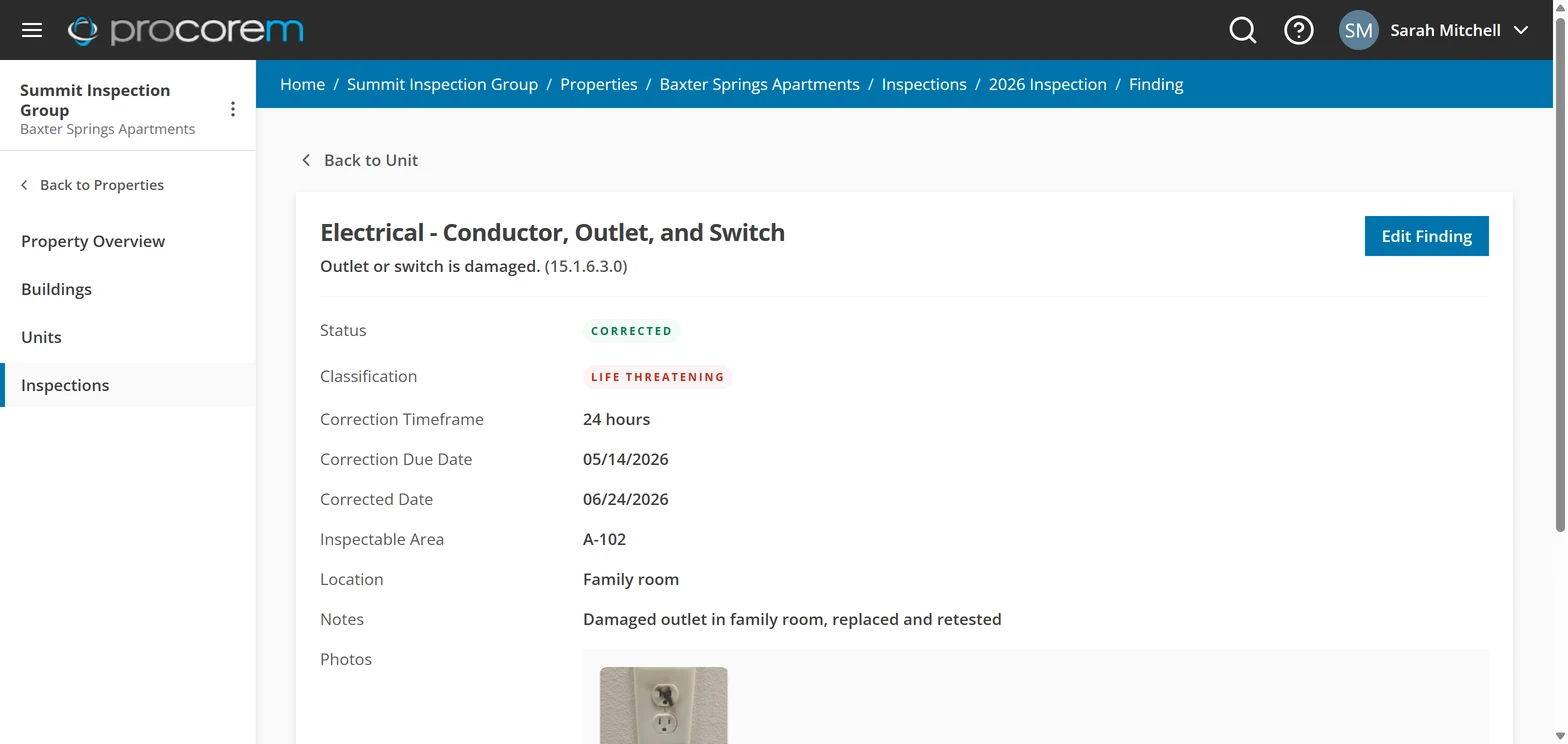
Step 5
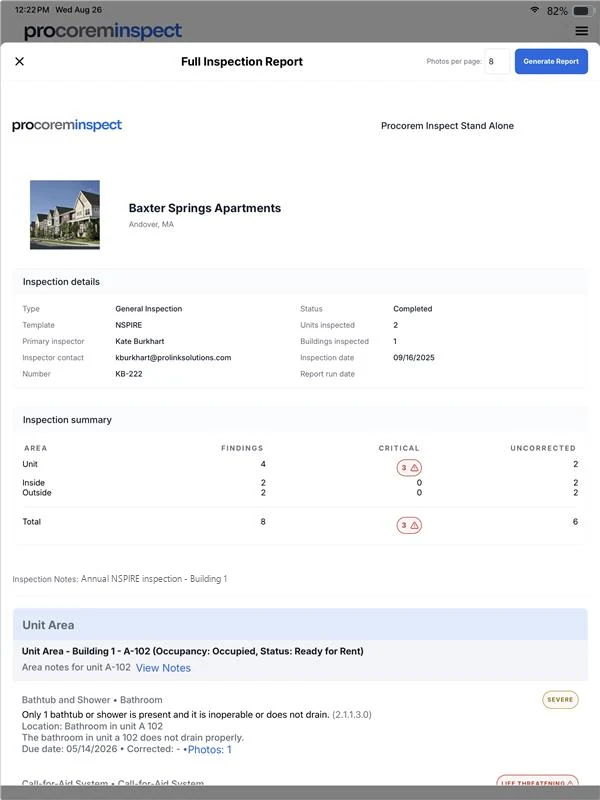
Generate reports the office can act on
Preview and download full inspection reports and exigent reports for life-threatening findings, generated from the same data your inspectors captured in the field.
Get started
See Inspect on your portfolio.
Tell us about your portfolio and your inspection program and we’ll walk you through a demo and a quote tailored to your organization.